ShopDreamUp AI ArtDreamUp
Deviation Actions


Suggested Deviants


Suggested Collections


You Might Like…


Featured in Groups





Description
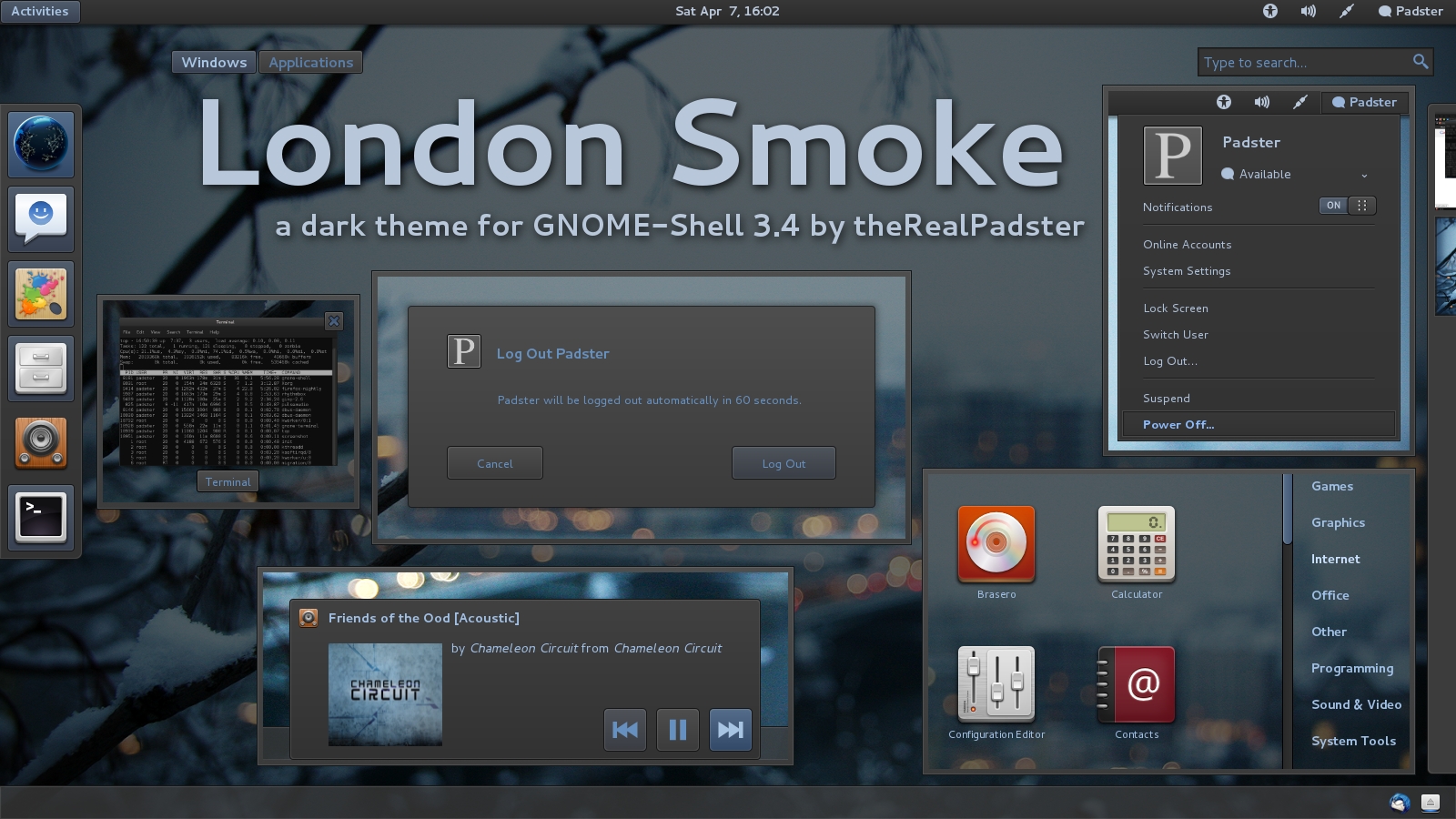
My Gnome-Shell port of my London Smoke GTK2 theme. [link]
Many thanks to Half-Left for all his help
Now works with GNOME-Shell 3.4!
Credits:
Wallpaper: Winter Frost by ~hombre-cz
Icons: elementary Icons by *DanRabbit
Changelog:
June 5, 2011: initial release
1.01:
-moved to latest Adwaita codebase (better support for certain things, like rtl)
-fixed double-border in messaging notifications
-added 2px padding in between shell-tab-switchers
-revamped corner-ripple
-bigger icons in search-results
-various other improvements in search-results
-added shadows to notification-tray entries
1.02:
-fixed padding issues with messaging-notification-bar-right-click-menu
-fixed search-engine buttons (made them fit in more, and added hover/pressed functionality)
1.2:
-ported over to new GNOME-Shell 3.2 base (added many new features)
-cleaned up notification-popups code
-added inner highlight to menus, removed shadows
-added 100ms transitions to many things
-changed workspace-thumbnail highlight
1.2.1:
-moved the readme from the gnome-shell.css to a separate file
-added instructions for fixing the menus with font-scaling factor at 1.2
1.2.2:
-fixed spacing between "Windows" and "Applications" buttons
1.3:
-GNOME-Shell 3.4
-tweaked submenus
-fixed jumping summary-buttons
-added some missing things
-improved visibility of text on hover-buttons
-changed transitions on buttons from 100 to 200 (smoother)
-other random bug fixes
Many thanks to Half-Left for all his help
Now works with GNOME-Shell 3.4!
Credits:
Wallpaper: Winter Frost by ~hombre-cz
Icons: elementary Icons by *DanRabbit
Changelog:
June 5, 2011: initial release
1.01:
-moved to latest Adwaita codebase (better support for certain things, like rtl)
-fixed double-border in messaging notifications
-added 2px padding in between shell-tab-switchers
-revamped corner-ripple
-bigger icons in search-results
-various other improvements in search-results
-added shadows to notification-tray entries
1.02:
-fixed padding issues with messaging-notification-bar-right-click-menu
-fixed search-engine buttons (made them fit in more, and added hover/pressed functionality)
1.2:
-ported over to new GNOME-Shell 3.2 base (added many new features)
-cleaned up notification-popups code
-added inner highlight to menus, removed shadows
-added 100ms transitions to many things
-changed workspace-thumbnail highlight
1.2.1:
-moved the readme from the gnome-shell.css to a separate file
-added instructions for fixing the menus with font-scaling factor at 1.2
1.2.2:
-fixed spacing between "Windows" and "Applications" buttons
1.3:
-GNOME-Shell 3.4
-tweaked submenus
-fixed jumping summary-buttons
-added some missing things
-improved visibility of text on hover-buttons
-changed transitions on buttons from 100 to 200 (smoother)
-other random bug fixes
Comments122
Join the community to add your comment. Already a deviant? Log In

it looks a bit old already.